The Door tool marks non-primary doorways within the rental area, such as emergency and service doorways or service elevator doors.
This tool is optional if there are no non-primary doorways on the floor.
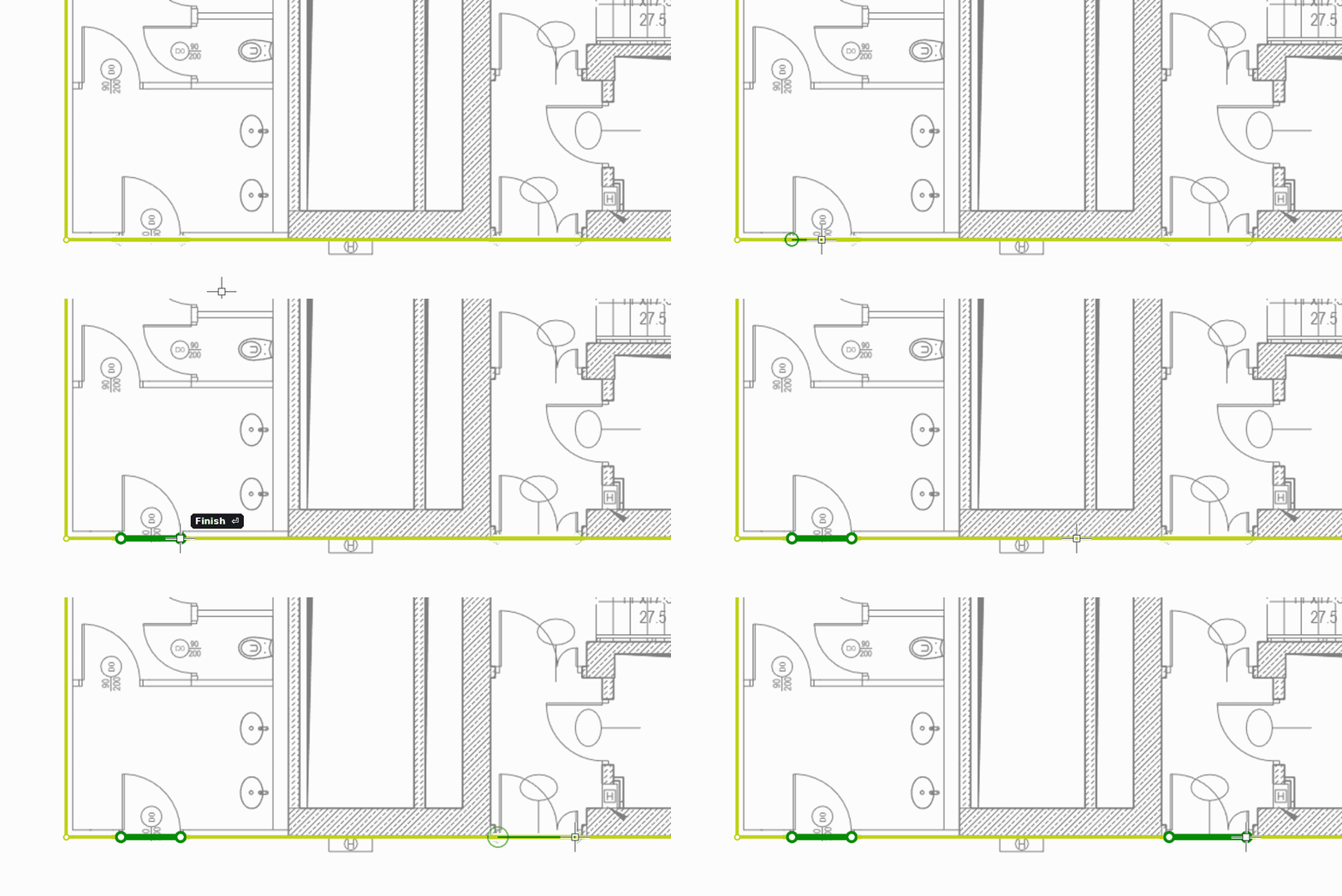
How to draw doorways
- Select the Door tool (shortcut D).
- Draw each doorway across the opening: click its start point, then its end point. For double doors, add a middle point so the doorway has two segments.
Doorways are usually drawn on the core outline.
Notes
- Unlike entrances, doors are not used as starting points when the office layout is generated.
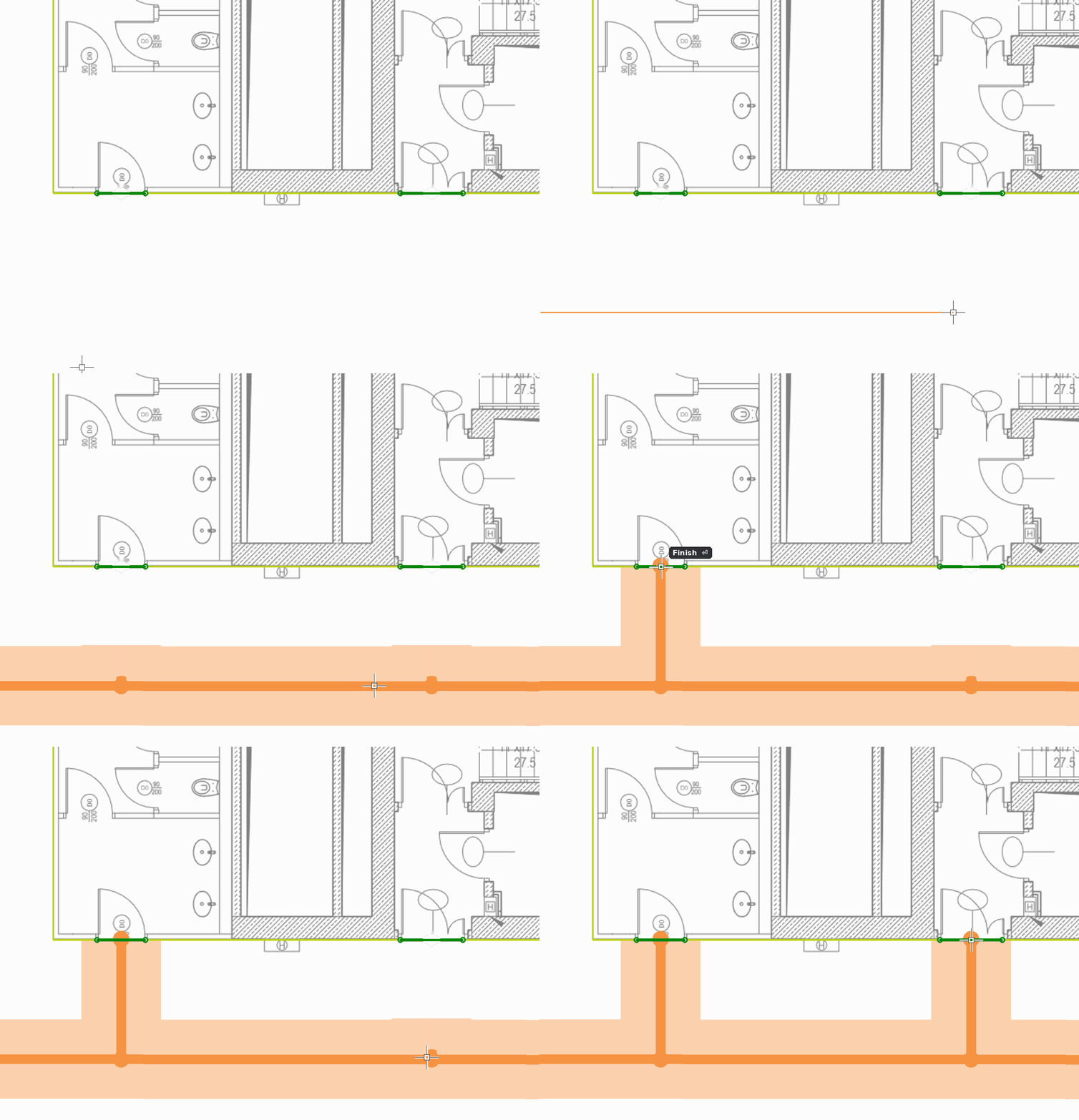
- If you do not draw a corridor to a doorway with the Corridors tool, a corridor leading to it is generated automatically.
- To control how the space around a doorway is divided, draw the corridor to it yourself.
Czy ten artykuł był pomocny?
To wspaniale!
Dziękujemy za opinię
Przepraszamy, że nie udało nam się pomóc!
Dziękujemy za opinię
Wysłano opinię
Doceniamy Twój wysiłek i postaramy się naprawić artykuł