The Facade Wall tool marks the solid exterior walls of the building.
This tool is optional, because a building may have no solid exterior walls.
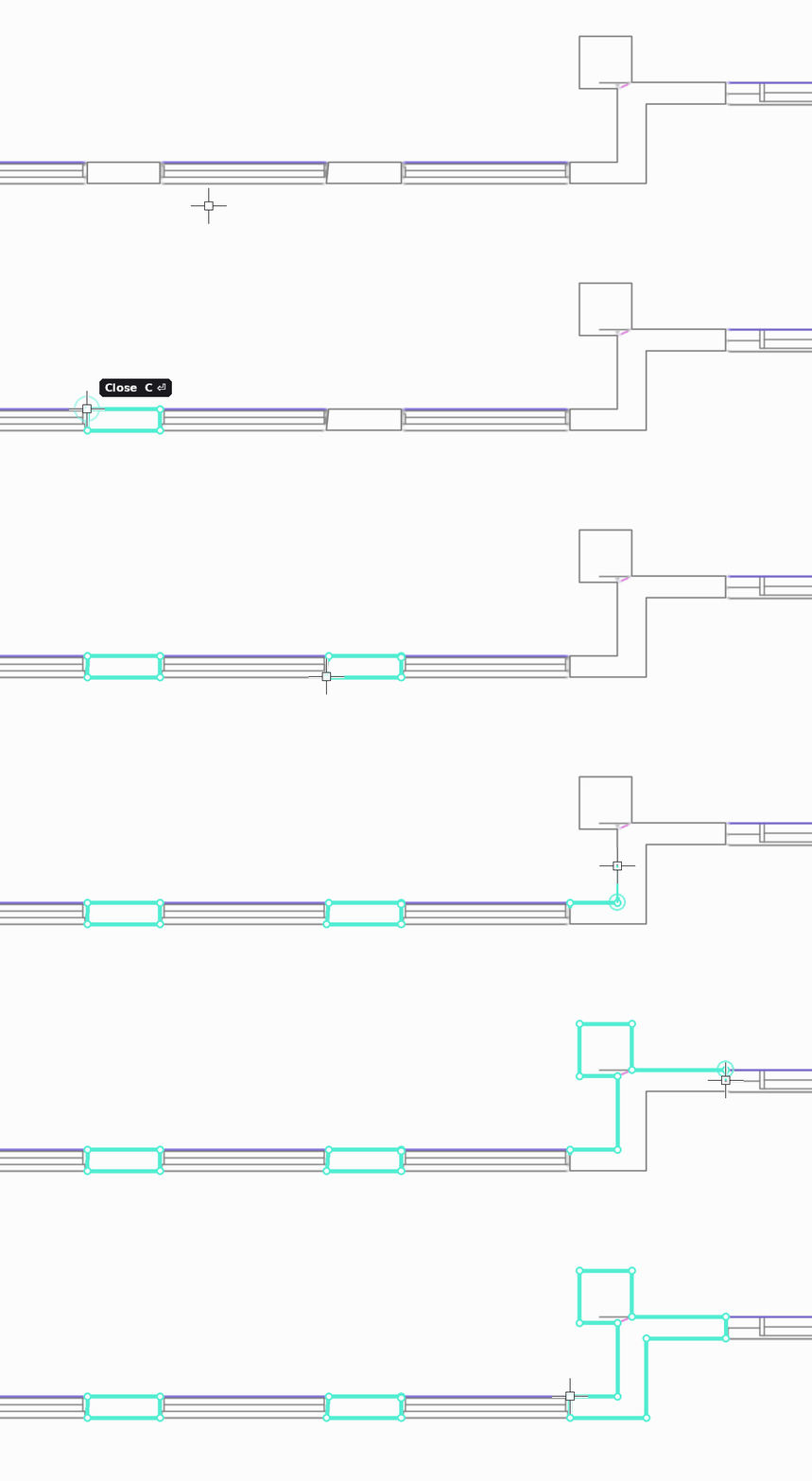
How to draw facade walls
- Select the Facade Wall tool (shortcut F).
- Click around the entire outline of each solid wall section, along both its inner and outer face.
- Close the shape by clicking the first point, so each wall section forms a closed shape.
Rules
- Facade walls must connect with the elements drawn with the Windows tool, or with the Core where it is adjacent to the façade.
- Together they must form a closed shape.
Atrium
If the building has atriums, mark their solid walls with this tool too. Connect them with windows or the core so they form a closed shape.
Czy ten artykuł był pomocny?
To wspaniale!
Dziękujemy za opinię
Przepraszamy, że nie udało nam się pomóc!
Dziękujemy za opinię
Wysłano opinię
Doceniamy Twój wysiłek i postaramy się naprawić artykuł