The Windows tool marks windows and glass curtain walls, which tells Genspace where the bright zone is.
This tool is mandatory.
Single windows
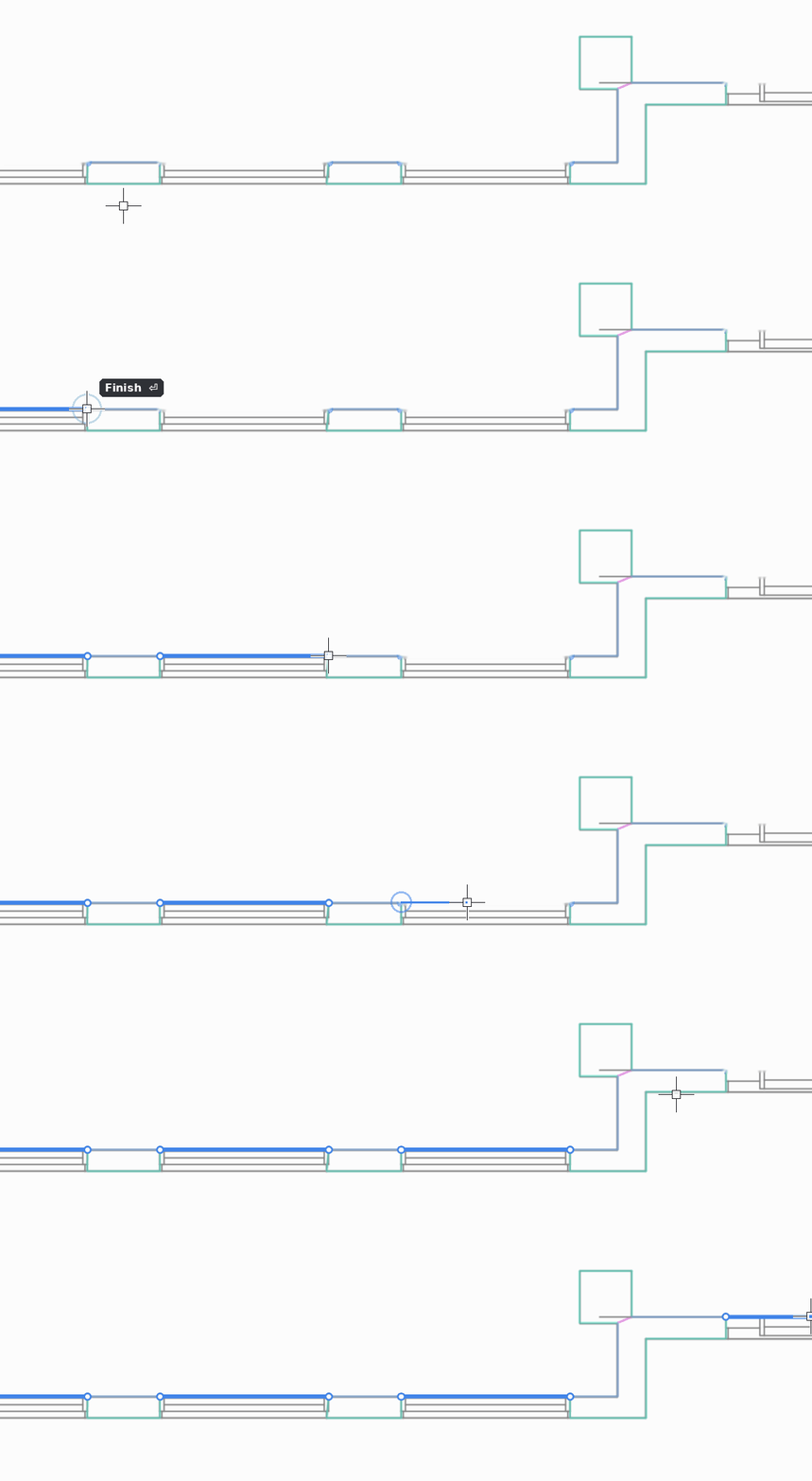
- Select the Windows tool (shortcut W).
- Draw each window as a separate segment: click its start point, then its end point.
- Connect each segment with the facade walls, or with the core where it is adjacent to the façade.
Glass curtain walls with mullions
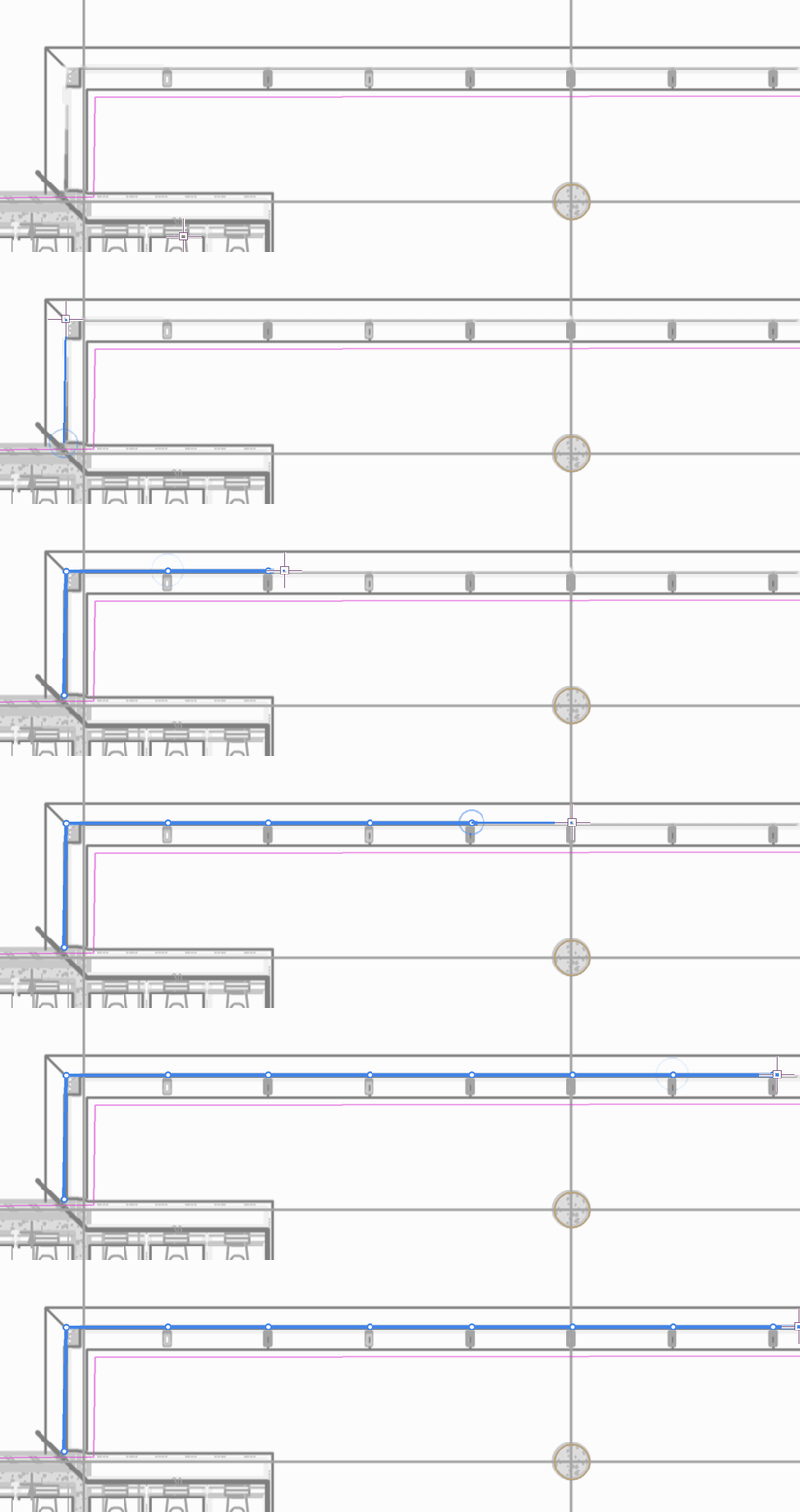
Draw a curtain wall as one continuous line of connected segments. Click a point at the centre of each façade mullion: these points are the reference points for placing new partition walls.
Rules
- Windows should coincide with the façade glazing or with the outline.
- A slight deviation is acceptable, but the distance between a window and the outline must not exceed 100 cm.
- All windows must connect with facade walls or the core so that they form a closed shape.
Atrium
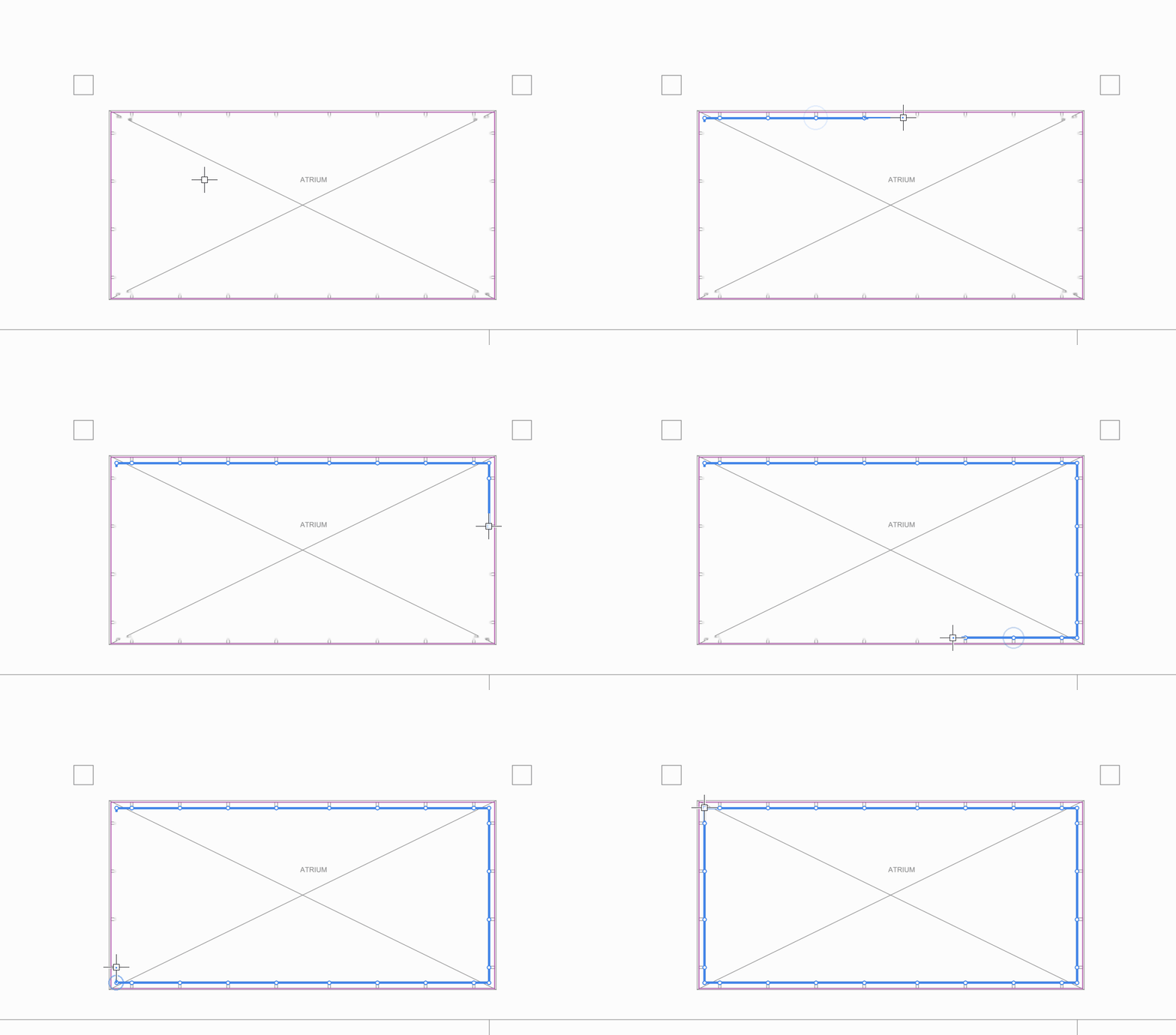
If the building has atriums, mark their glass façades with this tool too. Connect them with facade walls or the core so they form a closed shape.
Czy ten artykuł był pomocny?
To wspaniale!
Dziękujemy za opinię
Przepraszamy, że nie udało nam się pomóc!
Dziękujemy za opinię
Wysłano opinię
Doceniamy Twój wysiłek i postaramy się naprawić artykuł