The Core tool marks the core walls and the partition walls that separate common areas from leased areas.
This tool is mandatory.
How to draw the core
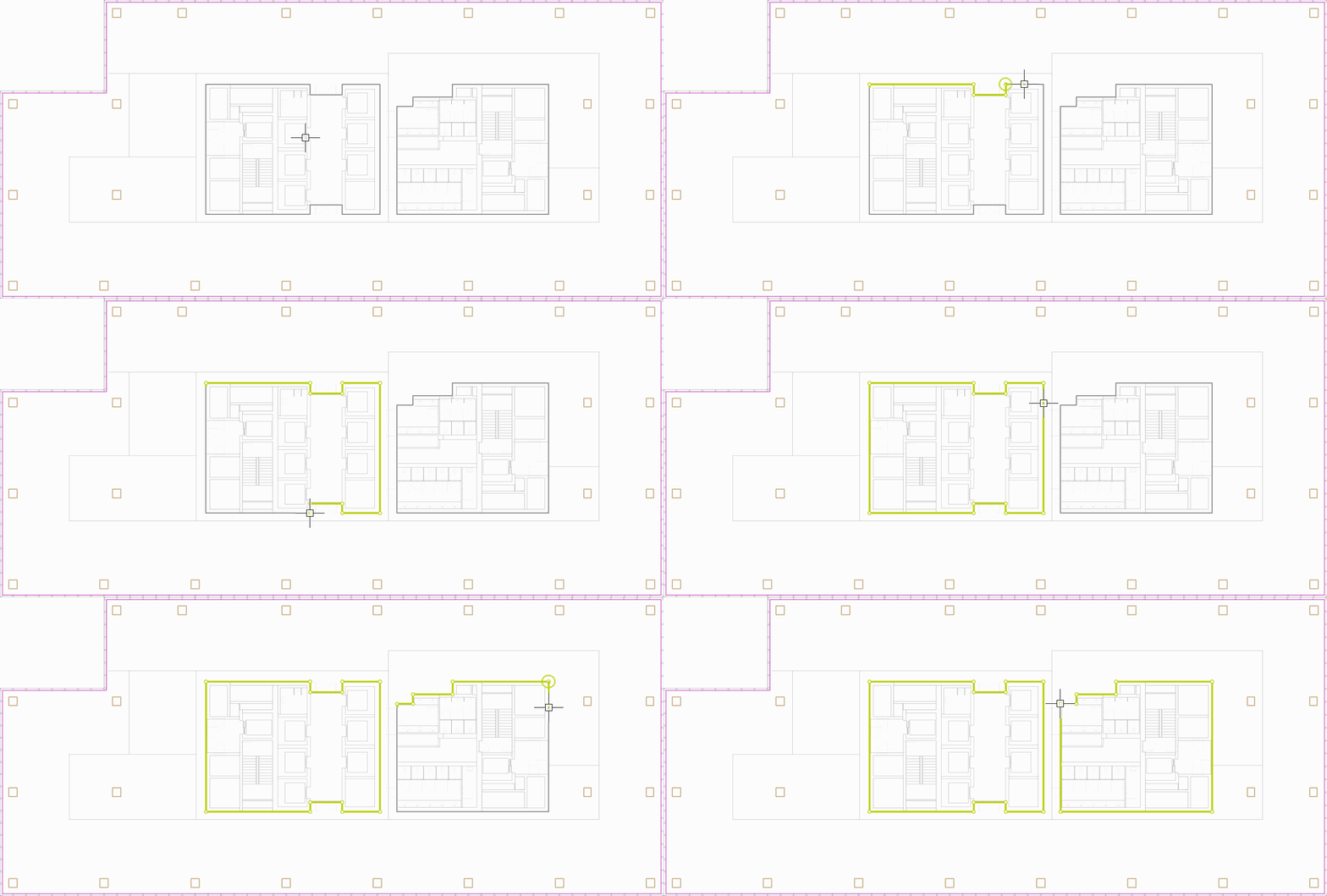
- Select the Core tool (shortcut R).
- Click along the external outline of the core and partition walls to place each point.
- Close the shape by clicking the first point: the core outline must form a closed shape.
Notes
- Entrances and doors are usually drawn along the core outline.
- Where the core is adjacent to the façade, it closes the shape together with facade walls and windows.
Czy ten artykuł był pomocny?
To wspaniale!
Dziękujemy za opinię
Przepraszamy, że nie udało nam się pomóc!
Dziękujemy za opinię
Wysłano opinię
Doceniamy Twój wysiłek i postaramy się naprawić artykuł